
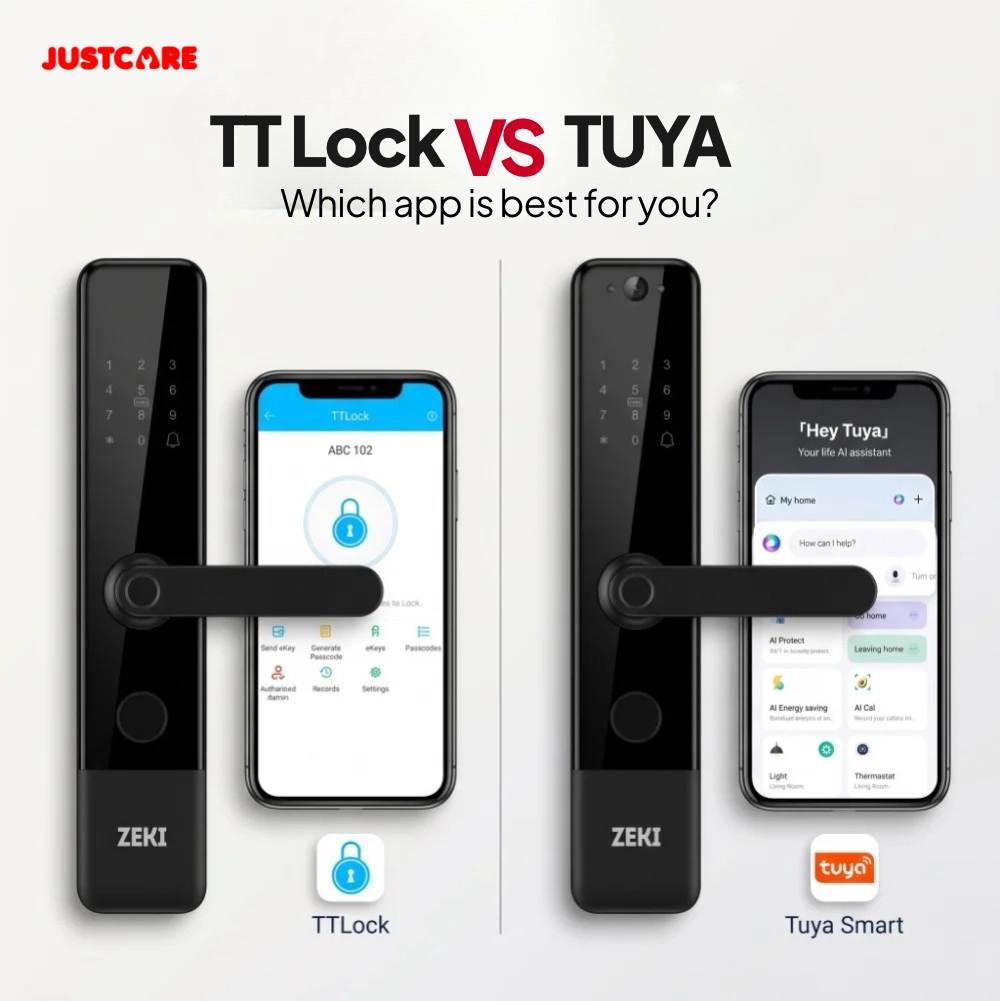
Quick Answer: TTLock or Tuya?
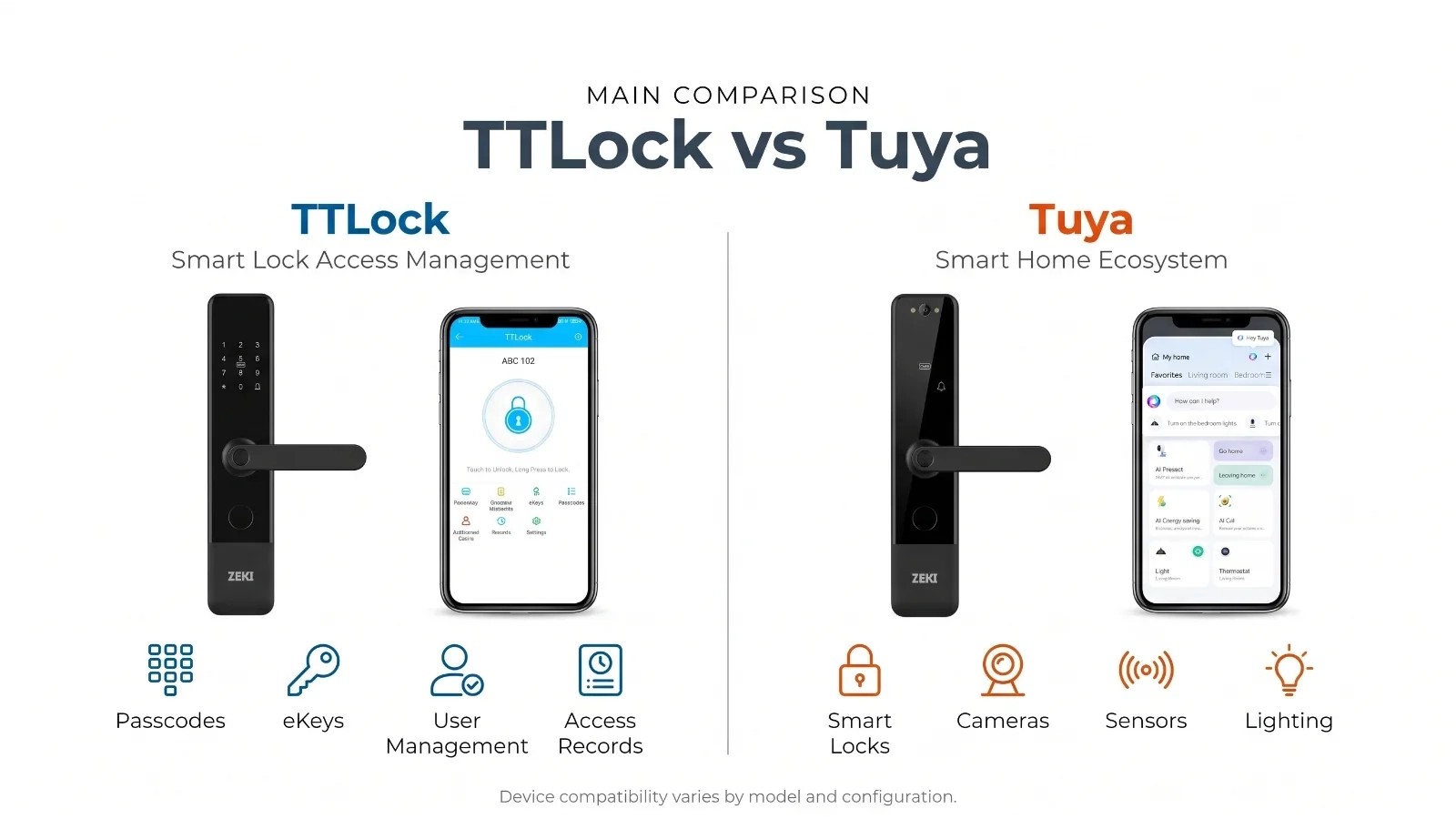
TTLock is worth considering when you want a smart lock platform focused on access management, including supported Bluetooth unlocking, digital keys and passcode functions. Tuya Smart may be a suitable choice when you prefer a broader smart-home ecosystem with compatible connected devices. Neither app automatically guarantees remote unlocking. That depends on the lock's hardware, connectivity and gateway requirements. For ZEKI buyers, compare the X1 with TTLock and the X2 with Tuya to understand two different configurations.
What Do You Need Your Smart Lock to Do?
Two locks may use different apps while offering similar fingerprint and PIN functions. Before choosing TTLock or Tuya, identify how you want to manage the entrance.
These four questions will help narrow your options.
Will you use fingerprint, PIN, card or Bluetooth while near the door?
Do you need supported remote access when away from the property?
Will family members, tenants or guests need different credentials?
Do you already use connected cameras, lights or sensors?
Choosing between TTLock and Tuya smart locks is not simply a decision between Bluetooth and Wi-Fi. Both platforms can support different types of electronic locking hardware.
TTLock is primarily associated with digital lock access management. Tuya Smart is part of a broader connected-device ecosystem. However, the actual experience depends on the smart lock's firmware, communication hardware and available app functions.
In this guide, we explain how both platforms work, how remote access differs from local unlocking, what to check before buying, and how ZEKI X1 and X2 illustrate the differences for UAE buyers.
What Is TTLock and How Does It Work?
TTLock is a digital access management platform used with compatible smart door locks and other electronic access devices.
The TTLock app can provide supported functions such as Bluetooth access, digital keys, passcode administration and access-history management.
Bluetooth Unlocking
Many TTLock-compatible locks communicate directly with nearby smartphones using Bluetooth.
Supported local functions can operate without the lock having its own direct internet connection. The phone must be within the appropriate wireless range.
Digital Keys and Passcodes
On supported models, administrators can manage electronic credentials for authorised users.
These may include electronic keys, permanent credentials and selected temporary access options.
The exact credential types and synchronization rules depend on the smart lock and its configuration.
Access Records
Compatible TTLock devices can offer unlocking history and access records.
However, local records are not always available instantly through the internet. Some functions require the lock to synchronize through a compatible phone or gateway.
Important: TTLock support does not automatically guarantee remote unlocking. Confirm whether the selected lock requires additional gateway hardware.
What Is Tuya Smart and How Does It Work?
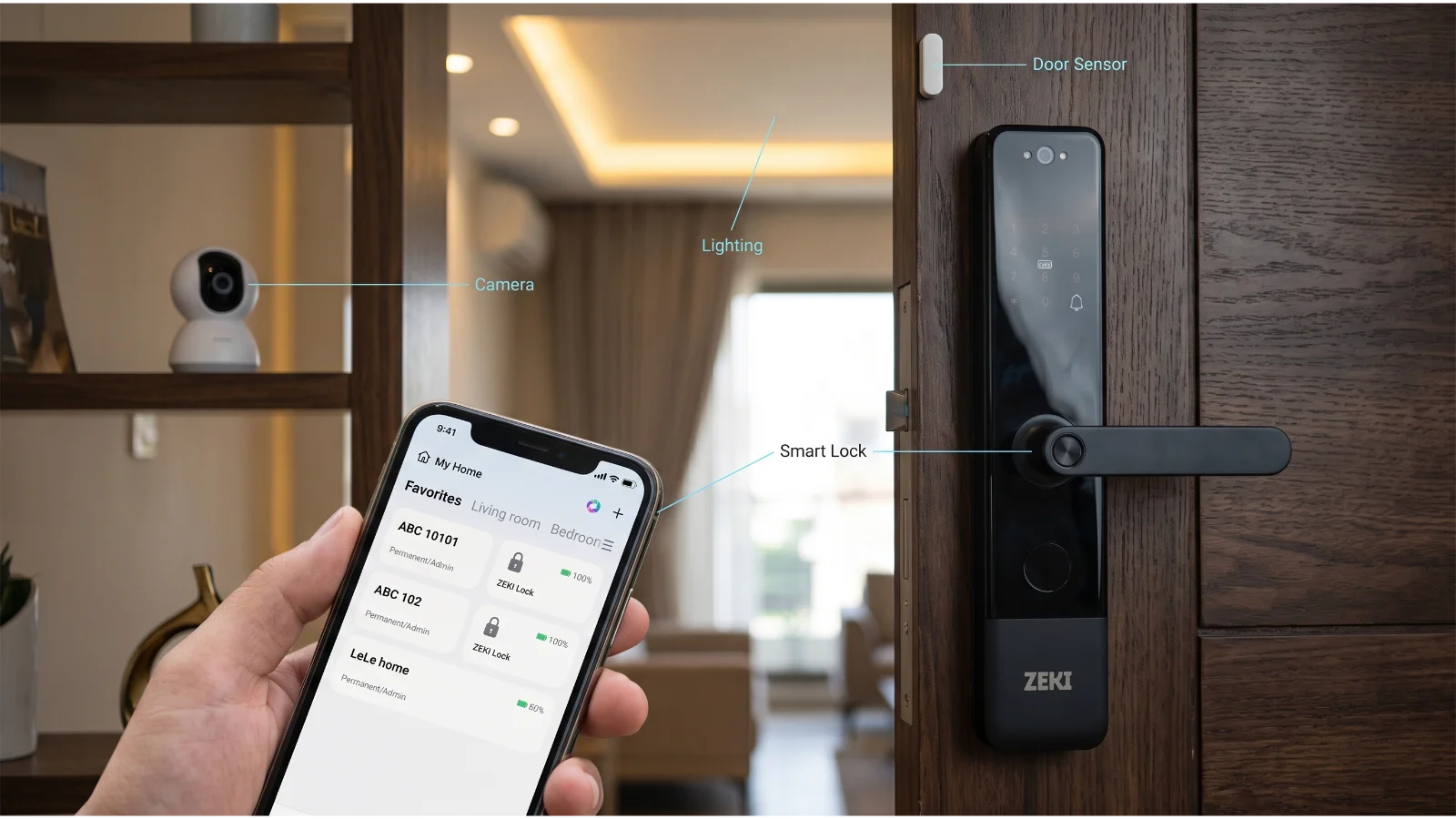
Tuya Smart belongs to a broader connected-device ecosystem that includes compatible smart door locks, lighting, sensors, cameras and other smart-home products.
A Tuya-compatible smart lock may use Bluetooth, Wi-Fi or another supported communication method, depending on its design.
One Ecosystem for Compatible Devices
A potential advantage of Tuya is managing compatible devices through a shared smart-home platform.
For example, supported lights, sensors and camera devices may appear within the same app ecosystem as a compatible Tuya smart lock.
Does Every Tuya Lock Have Built-In Wi-Fi?
No. Tuya supports Bluetooth-based smart lock configurations as well as other connectivity technologies.
Some Bluetooth devices require a compatible gateway for selected remote functions. Other models may include different network hardware.
Does Tuya Automatically Support Automation?
A broader smart-home ecosystem can offer useful integrations, but the exact smart lock must support the functions you want to use.
Do not assume a particular lock allows every automation or remote unlocking command simply because it uses Tuya.
ZEKI X1 TTLock vs ZEKI X2 Tuya: Which Should You Choose?
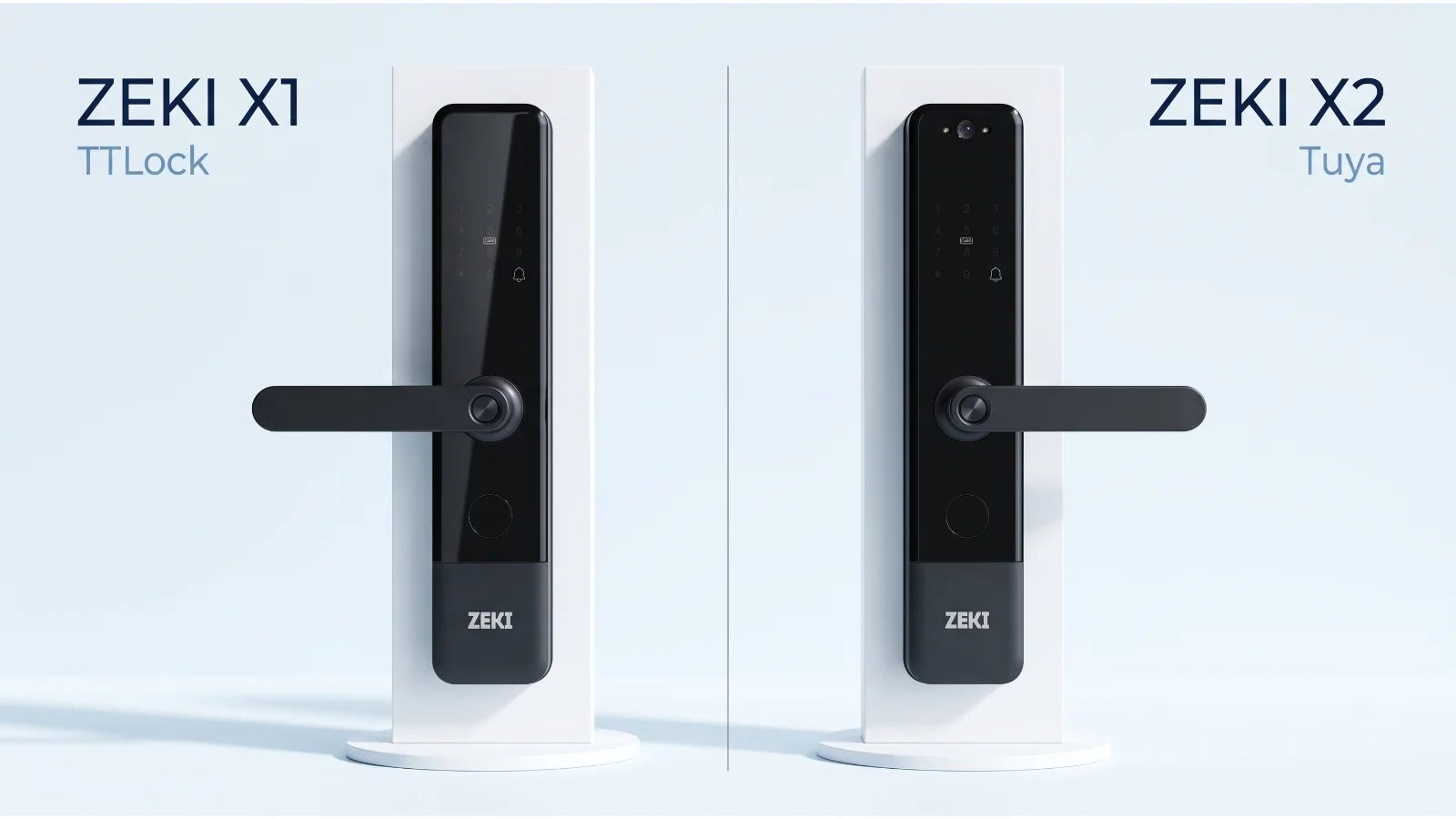
The ZEKI X1 and X2 provide practical examples of different smart lock app configurations.
The X1 version listed by JustCare uses TTLock. The X2 is advertised with Tuya Smart and includes additional visitor-viewing hardware.
ZEKI X1 Fingerprint Smart Door Lock
The ZEKI X1 combines fingerprint entry, PIN code access, RFID/IC cards and a mechanical backup key.
The current JustCare version uses TTLock for supported app management and Bluetooth functions.
- TTLock app
- Fingerprint unlocking
- PIN keypad
- RFID/IC card access
- Mechanical backup key
- Lever-style handle
Best considered when: You want convenient everyday keyless entry with a dedicated lock management platform.
ZEKI X2 Smart Door Lock with Camera
The ZEKI X2 offers fingerprint, PIN, IC card and mechanical key unlocking.
The listed version supports Tuya Smart and includes a built-in camera and indoor display for compatible visitor-viewing functions.
- Tuya Smart app
- Fingerprint unlocking
- PIN and IC card access
- Built-in entrance camera
- Indoor HD display
- Mechanical backup key
Best considered when: You want a Tuya-compatible smart lock and additional camera and visitor-viewing capabilities.
Important distinction: The X2 includes a camera because of its hardware, not simply because it uses Tuya. A Tuya app cannot add camera functionality to a lock without camera hardware.
TTLock vs Tuya: Side-by-Side Comparison
The following table compares the general platform differences. Actual lock features depend on the supplied device and firmware.
| Feature | TTLock | Tuya Smart |
|---|---|---|
| Platform Focus | Electronic lock and access management | Broader smart-home device ecosystem |
| Bluetooth Access | Supported on compatible locks | Supported on compatible Bluetooth locks |
| Built-In Wi-Fi | Hardware-dependent | Hardware-dependent |
| Remote Unlocking | Depends on compatible gateway or Wi-Fi configuration | Depends on connection, firmware and supported remote functions |
| Temporary PINs | Supported configurations | Supported configurations |
| Digital Access Sharing | Compatible electronic keys and credentials | Compatible device and user permissions |
| Access History | Model and sync-dependent | Model and sync-dependent |
| Camera Functions | Requires supported camera hardware | Requires supported camera hardware |
| Smart Home Ecosystem | Model-specific integrations | Broader compatible device ecosystem |
| ZEKI Example | ZEKI X1 | ZEKI X2 |
On mobile, swipe horizontally to view the comparison. Feature availability must be verified for the exact lock model.
Bluetooth vs Wi-Fi: How Does Smart Lock Remote Access Work?
One of the most important differences between smart lock setups is how the device connects to your phone.
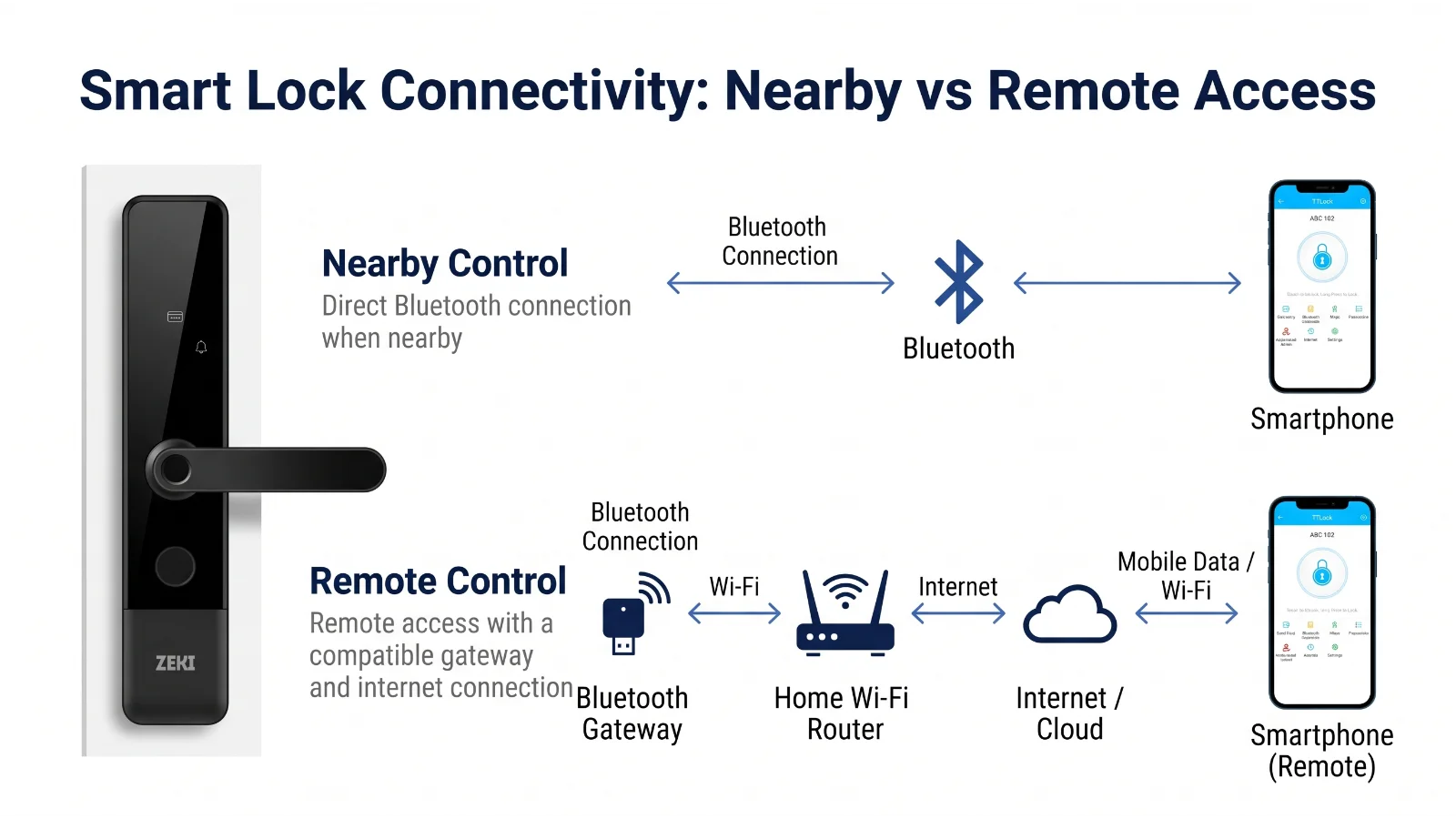
Local Bluetooth access and internet-based remote access are not the same thing.
Local Bluetooth
The phone communicates directly with a compatible smart lock over Bluetooth. Supported local functions require the phone to be nearby.
Bluetooth Gateway
A compatible gateway communicates with the lock and connects to a network, enabling supported cloud functions.
Wi-Fi Lock
Some devices contain Wi-Fi hardware. Their remote capabilities depend on the exact firmware, app and security settings.
Does TTLock Need a Wi-Fi Gateway?
Some Bluetooth-based TTLock smart locks require a compatible gateway for supported internet-based operations.
For suitable models, JustCare offers the TTLock G2 Gateway .
The G2 connects compatible Bluetooth smart lock hardware through a supported 2.4 GHz Wi-Fi network configuration.
However, gateway compatibility and remote unlocking permissions should be confirmed for the particular lock.
Does a Tuya Smart Lock Need a Gateway?
It depends on the specific Tuya hardware.
Some Bluetooth configurations use compatible gateways for online functions. Other models have different network capabilities.
A lock having built-in Wi-Fi does not automatically mean unrestricted remote unlocking is available.
Practical advice: Ask whether the exact smart lock supports the remote function you require. Do not rely only on marketing terms such as "Wi-Fi" or "App Controlled".
Temporary Passcodes, Guest Access and User Permissions
Smart locks are useful when multiple authorised people need access to the same entrance.
Supported TTLock and Tuya configurations may allow administrators to manage electronic keys, passcodes or other access credentials.
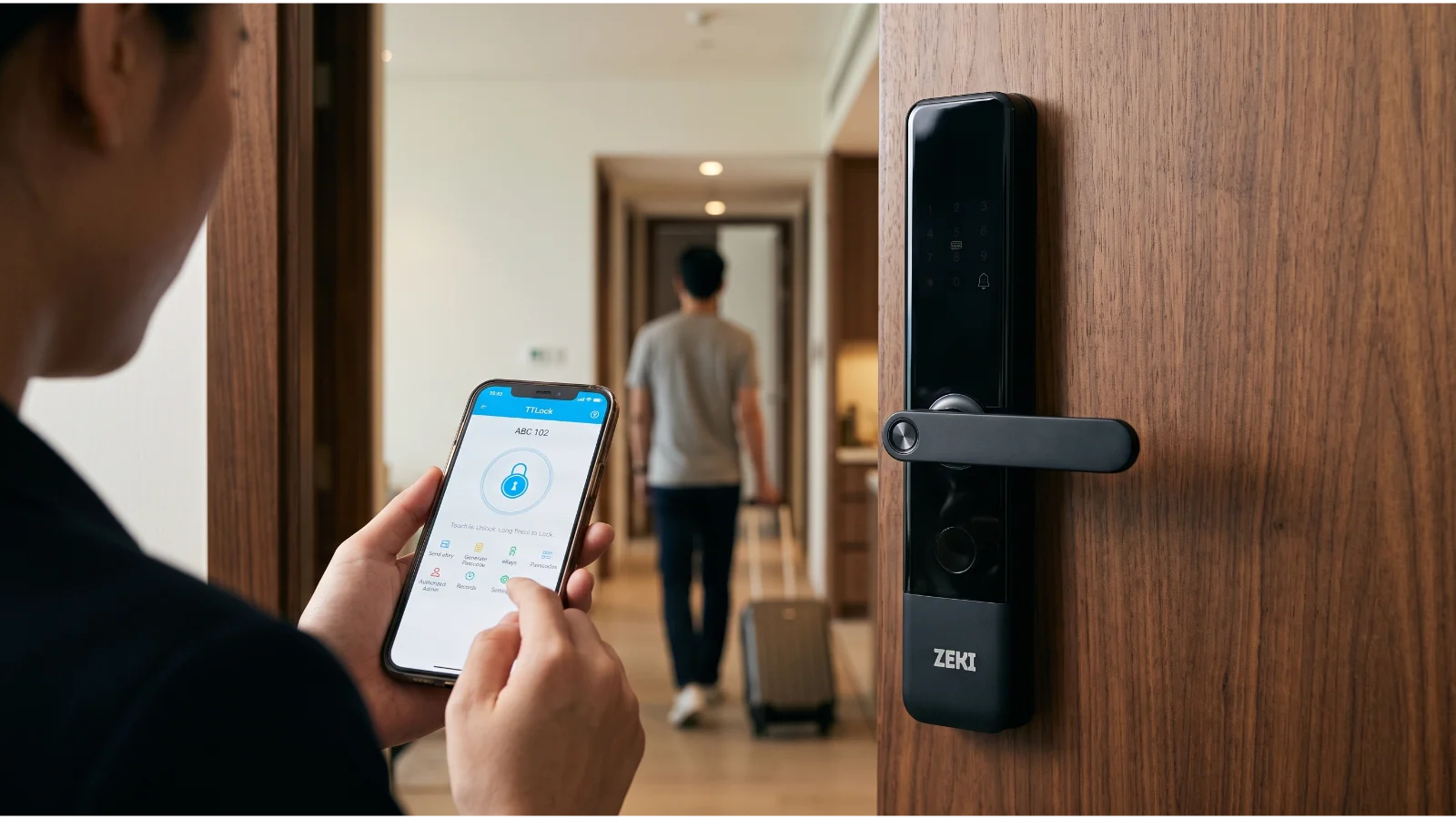
Permanent and Temporary PIN Codes
Some compatible locks allow different access credentials for regular occupants and temporary users.
Temporary PINs can be useful when guests, tenants or service personnel need access for a specific period.
Their availability, expiration options and synchronization requirements depend on the chosen lock.
Administrator Access
The administrator should control supported settings and user permissions.
Short-term users should not automatically receive full administrator privileges.
Access Records
Compatible devices may record unlocking activity and make selected records available through the connected app.
The timing and availability of those records depend on whether the lock synchronizes locally or through an online connection.
Removing Guest Access
When a tenant, employee or guest no longer needs access, remove or revoke the relevant credential.
Where synchronization is required, confirm the update has reached the smart lock.
Do TTLock and Tuya Support Cameras and Smart-Home Automation?
Both platforms can be used with compatible devices that offer additional connected functions.
Built-In Cameras
Camera viewing requires an actual camera-equipped smart lock.
For example, the ZEKI X2 combines a built-in camera and indoor screen with Tuya Smart compatibility.
However, the app platform alone does not determine whether a lock supports remote live viewing, recorded footage or visitor notifications.
Smart-Home Scenes
Tuya's wider ecosystem can help users manage compatible locks and smart-home devices within the same platform.
The exact automation options depend on the supported hardware and available integrations.
Voice Assistants
Selected connected devices may support voice-assistant integrations.
However, viewing a lock's status or using a smart-home scene does not necessarily mean the lock supports unlocking by voice.
Can the Same Smart Lock Model Have TTLock and Tuya Versions?
Yes. Some smart lock product families are available in different electronic configurations.
Visually similar devices can contain different firmware or communication modules.
For example, the ZEKI M1 smart door handle lock is described with different TTLock and Tuya app variants.
This does not mean the two apps can automatically be installed interchangeably on one physical lock.
Before buying: Confirm the exact product variant, app platform, supported connection and any gateway requirements.
Is TTLock or Tuya More Secure?
Neither platform should automatically be considered more secure simply because of its name.
Smart lock security depends on several factors, including hardware design, firmware, account protections, access permissions and correct installation.
Protect Administrator Accounts
Use a strong, unique password and additional account security options where supported.
Review Access Permissions
Give temporary users only the permissions they need.
Remove expired credentials and review access when staff or tenants leave.
Review Privacy Settings
Connected systems may process account information, device records and other operational data.
Camera-equipped devices introduce additional privacy considerations. Review the relevant privacy policy and supported controls.
Check the Mechanical Lock
Software features are only part of the system.
The mechanical lock mechanism, door alignment, strike plate and fitting quality also matter.
Should You Choose a TTLock or Tuya Smart Lock?
The best choice depends on what you want from your entrance.
Start with ZEKI X1
If your main priorities are fingerprint, PIN and card access, consider the TTLock-based ZEKI X1.
Consider Tuya Compatibility
If you already use compatible Tuya devices, a Tuya-based lock may fit your preferred smart-home setup.
Explore ZEKI X2
If you want a built-in camera and indoor display, the ZEKI X2 is a relevant option to assess.
Check the Hardware First
If remote unlocking is essential, confirm the exact lock's supported functions and connectivity before choosing an app.
Not Sure Which ZEKI Smart Lock App Is Right for You?
Send JustCare your preferred unlocking methods, existing door photographs and UAE location.
Our team can help you compare ZEKI models and discuss the app, gateway and door-fitting requirements.
Ask About ZEKI Compatibility →What Should You Check Before Installing a Smart Lock?
App compatibility matters, but physical fitting is equally important.
Confirm the Model
Check the exact smart lock variant and supported app.
Check Connectivity
Determine whether Bluetooth, Wi-Fi or gateway hardware is required.
Review Door Fit
Check the door material, mortise, thickness and available clearance.
Test Access
Verify supported unlocking methods, app functions and backup access.
Gateway Placement
If the lock requires a gateway, it must be compatible with the device and positioned within the supported wireless range.
Confirm the required Wi-Fi frequency and network settings.
Professional Door Fitting
The smart lock must also match the existing door hardware.
JustCare offers smart lock installation in Dubai for compatible residential and commercial entrances.
Additional UAE locations may be supported according to technician availability and job requirements.
TTLock vs Tuya for Apartments, Villas, Offices and Rentals
Simple Keyless Entry
For an apartment where household members mainly use fingerprint or PIN access, a suitable TTLock-based lock may be sufficient.
Connected Home Features
A compatible Tuya-based model may appeal to homeowners who use several supported smart-home products.
Temporary Credentials
Property managers may benefit from supported temporary access and credential administration. Verify the exact validity rules.
Managing Authorised Users
Offices may need multiple registered users and controlled permissions. Larger premises may require a dedicated commercial access-control system.
Five Misconceptions About TTLock and Tuya Smart Locks
1. Every Tuya Lock Has Wi-Fi
Incorrect. Tuya supports several device connection technologies, including Bluetooth.
2. Every TTLock Device Works with Any Gateway
Gateway compatibility depends on the lock hardware and configuration.
3. An App Guarantees Remote Unlocking
Local Bluetooth access is not the same as internet-based remote access.
4. Tuya Automatically Adds Camera Features
Camera functions require compatible physical hardware and supported software.
5. TTLock and Tuya Can Always Be Switched
Separate lock versions may use different firmware and electronic components.
Never assume that two apps are interchangeable without explicit manufacturer support.
TTLock or Tuya: Which Platform Should UAE Buyers Choose?
Both TTLock and Tuya are useful platforms for compatible smart door locks.
Start with TTLock when dedicated smart lock access management and convenient local unlocking are your priorities.
The ZEKI X1 is one model worth considering for these requirements.
Consider Tuya Smart when you prefer a broader connected-device ecosystem and want a compatible smart lock configuration.
The ZEKI X2 is a relevant option if you also want a built-in entrance camera and indoor display.
Ultimately, choose according to the actual lock hardware, supported app, remote functions, door compatibility and installation requirements.
TTLock vs Tuya Smart Locks: FAQs
What is the main difference between TTLock and Tuya?
TTLock focuses on electronic lock access management. Tuya Smart is a broader smart-home ecosystem that includes compatible smart locks. Actual features depend on the lock model and hardware.
Can TTLock work without Wi-Fi?
Supported local Bluetooth unlocking functions can operate without a continuous internet connection. Remote features may require network access and a compatible gateway.
Does every Tuya smart lock need a gateway?
No. Gateway requirements depend on the exact Tuya lock configuration. Some Bluetooth models need compatible gateways for selected online functions. Other models use different connection hardware.
Can TTLock and Tuya be used on the same lock?
Do not assume they are interchangeable. A smart lock normally requires firmware and hardware designed for its supported app platform. Some product families offer separate variants.
Which app is better for temporary guest access?
Both ecosystems offer supported configurations with guest-access functions. Compare the exact code types, validity periods, administrator permissions and synchronization requirements.
Does ZEKI X1 use TTLock or Tuya?
The current ZEKI X1 version listed by JustCare uses TTLock. Confirm the supplied model before purchasing.
Does ZEKI X2 support Tuya Smart?
Yes. The ZEKI X2 product listing identifies Tuya Smart compatibility. Available remote functions depend on the exact device configuration and connectivity.
Does TTLock G2 Gateway provide remote access?
The TTLock G2 Gateway supports selected internet-based functions for compatible TTLock devices. Confirm lock compatibility and the supported remote operations before purchase.
Can a smart lock work without internet?
Supported local unlocking methods such as fingerprint, PIN and card access can operate without continuous internet access when the device is powered and correctly configured.
Find the Right ZEKI Smart Lock and App Setup
Not sure whether TTLock or Tuya is right for your entrance?
JustCare can help you compare ZEKI X1, X2 and other available models, understand gateway requirements and discuss door compatibility.
Send us your door photographs, preferred features and UAE location to get started.
Enquire About ZEKI on WhatsApp →Technical References
The connectivity explanations in this guide are informed by TTLock's official gateway documentation and Tuya's Bluetooth smart lock documentation . Product-specific details should be confirmed with the exact model manufacturer or supplied configuration.
Editorial note: This guide uses published technical documentation and selected JustCare product listings. JustCare sells ZEKI smart door locks and related accessories. Specifications, app support, firmware, connectivity, installation conditions and warranty terms may vary by regional product version. Images are illustrative and do not constitute independent product testing.