
ZEKI vs Philips Smart Locks in UAE: Which Brand Should You Choose?
Choosing between ZEKI and Philips smart locks in the UAE? Both brands offer convenient keyless access, but the right choice depends on your door, preferred unlocking methods and everyday needs. ZEKI X1 is worth exploring for straightforward fingerprint entry, while ZEKI R1 Pro offers advanced face recognition, palm vein access and visitor-viewing features. This guide compares both brands to help you make an informed choice.
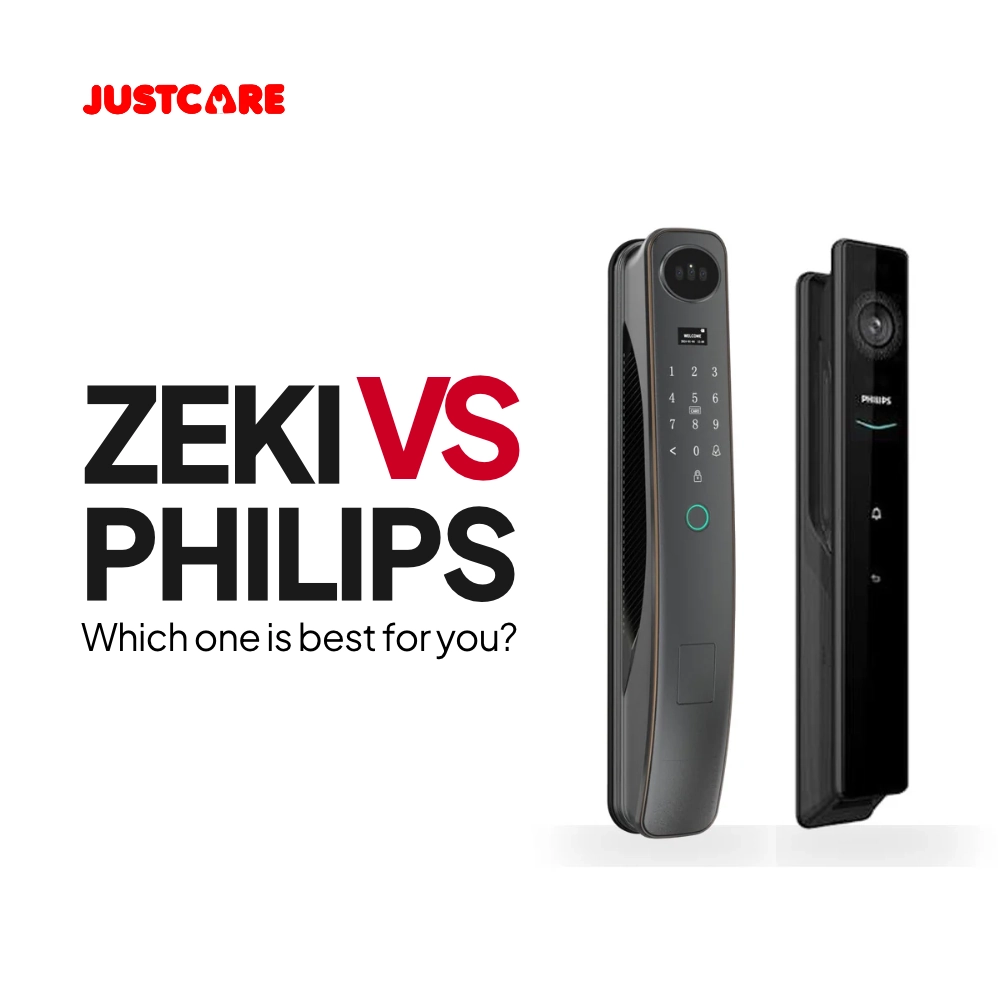
Quick Answer: ZEKI or Philips?
ZEKI X1 is a practical starting point if you want fingerprint, PIN, RFID card and TTLock app access with a familiar lever-style handle. ZEKI R1 Pro is worth considering if you want 3D face recognition, palm vein unlocking and visitor-camera features. Philips DDL709 and DDL902 offer alternatives with advanced biometric and monitoring capabilities. The best smart lock depends on your door compatibility, preferred unlocking methods, app requirements and total cost.
Which Smart Lock Is Right for Your UAE Home?
Before comparing brands, identify what you actually need from your new door lock. These four factors will help you narrow the shortlist without paying for unnecessary features.
Fingerprint, PIN, access card, face recognition or palm vein?
Which app is supported, and do you need internet-based remote control?
Check the material, thickness, mortise and installation clearance.
Include the lock, fitting work, accessories and warranty terms.
This ZEKI vs Philips smart locks comparison focuses on four specific models: ZEKI X1, ZEKI R1 Pro, Philips EasyKey DDL709 and Philips DDL902. Rather than treating every product from a brand as identical, we compare the listed unlocking methods, connected features, everyday use cases and fitting considerations.
The information is based on published product specifications and JustCare's listed configurations, not an independent durability or security laboratory test. Features may differ by regional variant.
Why Should UAE Buyers Consider ZEKI Smart Locks?
ZEKI offers several types of digital door locks, from familiar fingerprint handle designs to models with touchless biometric authentication and integrated cameras.
The benefit of this range is flexibility. If you want simple fingerprint access, you can consider a model such as the X1. If face recognition and visitor viewing matter more, the R1 Pro offers a different set of functions.
Key Reasons to Shortlist ZEKI
- Access choice: Different models offer combinations of fingerprint, PIN, RFID card, mechanical key, face recognition and palm vein access.
- Different designs: Options range from lever-handle locks to more advanced biometric entrance systems.
- Connected functions: Supported smartphone and remote features depend on the specific model and app configuration.
- Product support: JustCare can help compare available models and discuss compatibility with your existing door.
You can explore the ZEKI smart locks collection to review other available options.
ZEKI X1 vs R1 Pro: Which One Should You Choose?
Both models provide electronic access, but they are intended for different daily requirements. Compare their functions before deciding whether advanced biometrics are necessary.
ZEKI X1 Smart Door Lock
The X1 combines a fingerprint sensor at the handle with a digital keypad, RFID card access and mechanical backup key.
The version listed by JustCare supports the TTLock app for compatible smartphone functions.
- Fingerprint unlocking
- PIN code access
- RFID/IC card support
- TTLock application
- Mechanical backup key
- Horizontal lever handle
Our recommendation: Consider the X1 if your main priority is everyday keyless entry without requiring facial recognition or a visitor camera.
ZEKI R1 Pro Smart Door Lock
The R1 Pro offers multiple biometric access methods, including 3D facial recognition, palm vein authentication and fingerprint unlocking.
Its referenced configuration also includes a built-in camera, an indoor display and supported visual communication functions.
- 3D face recognition
- Palm vein unlocking
- Fingerprint authentication
- PIN and IC card access
- Built-in camera and display
- Tuya Smart on the listed variant
Our recommendation: Consider the R1 Pro when touchless entry and additional visitor-viewing features are important to you.
Which ZEKI model is the better fit? If fingerprint, PIN and card unlocking cover your requirements, start with the X1. If you want facial recognition, palm vein access and a visitor camera, compare the R1 Pro. Physical door compatibility must be checked for both.
What Do Philips DDL709 and DDL902 Offer?
Philips EasyKey also offers smart locks with advanced biometric access. The DDL709 and DDL902 are relevant models when comparing facial recognition, video functions and multiple ways to unlock an entrance.
Philips DDL709
The DDL709-FVP-7HWS combines 3D facial recognition, fingerprint, PIN, card access and video intercom features on the referenced model.
It is worth evaluating if you want touchless face unlocking with an indoor visitor display and prefer the Philips product design.
Philips DDL902
The DDL902-MFVP-11HWS includes palm vein recognition, 3D facial recognition, fingerprint and PIN entry.
Its camera-related features make it another option to assess when several biometric methods and entrance monitoring are priorities.
Both Philips models are legitimate alternatives. However, a longer list of features does not prove that a lock is more secure, more reliable or suitable for every type of door.
ZEKI vs Philips Smart Locks: Feature Comparison
The following table compares the selected product configurations. Check the exact supplied variant before relying on app, remote-access or video functions.
| Feature | ZEKI X1 | ZEKI R1 Pro | Philips DDL709 | Philips DDL902 |
|---|---|---|---|---|
| Fingerprint | Yes | Yes | Yes | Yes |
| 3D Face Recognition | Not listed | Yes | Yes | Yes |
| Palm Vein | Not listed | Yes | Not listed | Yes |
| PIN Code | Yes | Yes | Yes | Yes |
| Card / Tag | Yes | Yes | Yes | Yes |
| Mechanical Key | Yes | Yes | Yes | Yes |
| Visitor Camera | Not listed | Built-in camera | Video intercom | Camera system |
| App Platform | TTLock | Tuya on listed variant | Verify supplied variant | Verify supplied variant |
| Main Appeal | Fingerprint access with lever handle | Touchless biometrics and visitor features | Facial recognition and video intercom | Multiple biometric and camera features |
On mobile, swipe horizontally to view all models. "Not listed" means the feature is not specified for that referenced configuration; it is not a claim about every model from that brand.
What Does the Comparison Mean for Buyers?
If your priority is a familiar handle combined with keyless entry, ZEKI X1 deserves consideration. If you want touchless biometric entry and visitor visibility, ZEKI R1 Pro and the two featured Philips models offer more relevant functions to compare.
The feature table is only the first step. The lock must also fit your entrance and support the connected functions you intend to use.
Fingerprint, Face Recognition or Palm Vein: What Matters Most?
Fingerprint Access for Everyday Convenience
A fingerprint sensor can reduce dependence on physical keys. On the X1, the reader is integrated near the handle, allowing registered users to authenticate during normal door operation.
Wet fingers, dirt or poor enrolment may affect recognition. Having PIN, card and mechanical backup methods is useful when biometric access is temporarily unsuccessful.
Facial Recognition for Hands-Free Entry
Facial recognition can be convenient when carrying shopping bags or when users prefer not to touch a sensor. The referenced R1 Pro, DDL709 and DDL902 models support this method.
Palm Vein for Another Touchless Option
The R1 Pro and DDL902 offer palm vein authentication on their listed configurations. This gives authorised users another biometric option beyond fingerprint and face recognition.
Security consideration: Access convenience should not be confused with independently proven security. The mechanical lock, fitting quality, credential management, backup methods and correct installation also matter.
TTLock vs Tuya vs Philips Apps: What Should You Check?
The mobile app can affect how you manage registered users and use compatible connected features. But a smart lock having an app does not automatically mean that every function works remotely.
ZEKI X1: TTLock
The current JustCare X1 listing specifies TTLock. Supported Bluetooth functions work within the compatible wireless range. Internet-based remote operations may require a suitable gateway.
ZEKI R1 Pro: Listed Tuya Configuration
The referenced R1 Pro configuration identifies Tuya Smart as a supported platform. Available remote features, camera communication and network requirements should be verified for the supplied unit.
Philips: Check the Exact Model
Selected Philips locks also offer app-connected functions. The app, available remote features and connection requirements vary by model and market configuration.
Before buying, confirm:
- Which app the actual supplied lock uses.
- Whether local unlocking works without Wi-Fi.
- If remote access needs a gateway or hub.
- Whether temporary PINs or activity records are supported.
- Which visitor video features work through the app.
Will a ZEKI or Philips Smart Lock Fit Your Door?
A smart lock may have the features you want but still be incompatible with your entrance. UAE properties use different door materials, mortise mechanisms and hardware, so checking the physical fit is essential.
Door Material
Identify whether the door is wooden, aluminium, metal or composite.
Thickness
Compare the actual thickness with the supported model fitting range.
Mortise
Review the lock body, backset, existing cutouts and strike alignment.
Clearance
Check panel space, frame clearance and door opening direction.
Wooden and Aluminium Doors
Many suitable wooden doors can be upgraded with full smart locks, although additional drilling or mortise modifications may be needed. Aluminium doors can have narrower profiles and different locking mechanisms, so they often require a more specific fitting assessment.
Villa Doors and Exposed Entrances
Larger villa doors may have custom handles or multi-point mechanisms. For outdoor gates, verify the lock's environmental rating and permitted installation conditions instead of assuming every model is weatherproof.
For fitting support, visit JustCare's smart lock installation service . Installation and modification requirements depend on the selected product and door.
Not Sure Which ZEKI Lock Fits Your Door?
Send JustCare clear photographs of the outside, inside and edge of your door. Tell us whether you prefer everyday fingerprint entry or advanced biometric and visitor-camera features.
Our team can discuss the available ZEKI options and review the likely fitting requirements before you make a purchase.
Check ZEKI Compatibility →Which Model Makes Sense for Apartments, Villas and Offices?
Start with ZEKI X1
If fingerprint and PIN access meet your needs, the X1 is a practical model to assess for a compatible apartment entrance.
For rented properties, check building or landlord requirements before permanent door modifications.
Consider ZEKI R1 Pro
For a compatible sheltered villa entrance, the R1 Pro may suit households that want face recognition, palm vein access and visitor viewing.
Check door dimensions and environmental suitability before ordering.
Evaluate Access Management
Fingerprint, PIN and card functions may be useful for selected small offices. Confirm user capacity, administrator controls and exit requirements.
Larger premises may need a dedicated commercial access-control system.
Check Temporary Access Features
Property managers may value time-limited PINs and access credential management more than advanced biometrics.
Confirm those exact functions on the chosen lock and app before selecting it.
ZEKI vs Philips Smart Lock Prices: Compare the Total Cost
Product price is important, but it is not the only expense. The complete quotation may depend on the model, fitting work and additional hardware.
- Smart lock: Confirm the exact model, supplied version and included accessories.
- Installation: Check whether fitting is included in the current offer.
- Door modifications: Extra holes, cutting or mortise changes may affect cost.
- Connectivity: Additional gateway hardware may be needed for certain functions.
- Warranty: Review product and workmanship coverage, exclusions and support.
- Maintenance: Consider battery arrangements, backup access and future servicing.
If a simpler model already provides the unlocking methods you need, extra biometric and camera functions may offer little practical benefit. If you will regularly use those functions, a more advanced model may be worth the additional cost.
For broader pricing information, read the smart door lock price guide in UAE .
Common Mistakes to Avoid When Comparing Smart Locks
Buying Before Checking the Door
Lock dimensions, mortise compatibility and fitting clearances can affect whether a model is suitable. Confirm these details first.
Assuming Every Model Uses the Same App
ZEKI and Philips models may use different applications and connectivity systems. The JustCare-listed X1 uses TTLock, while the referenced R1 Pro identifies Tuya.
Overlooking Backup Access
Check what happens when a fingerprint is not recognised or the battery is low. Follow the manufacturer's instructions for mechanical and emergency access.
Confusing Camera Features with Remote Monitoring
A built-in camera does not mean every model supports identical remote viewing, recording or alerts. Confirm the specific network and app functions.
Comparing Only the Sticker Price
Installation scope, accessories, modifications and support terms can change the overall cost. Ask for the full project quotation before deciding.
ZEKI or Philips: Which Smart Lock Should You Choose?
There is no universal winner between these brands. Choosing the correct model for your door and daily routine matters more than a broad brand comparison.
Start with ZEKI X1 when convenient fingerprint access, PIN codes, RFID cards and a familiar lever handle are your main priorities.
Consider ZEKI R1 Pro when you want 3D facial recognition, palm vein access and supported visitor-camera functions.
Consider Philips DDL709 or DDL902 where their exact feature set, design or interface better suits your preferences.
Before buying, confirm the app version, mechanical compatibility, fitting requirements and warranty for the lock you select.
Related Smart Lock Products and Services
Review individual models or explore JustCare's available smart lock installation support.
ZEKI vs Philips Smart Locks: FAQs
Is ZEKI better than Philips?
Neither brand is automatically better for every entrance. The X1 is worth considering for straightforward fingerprint access, while R1 Pro and selected Philips models offer advanced biometric functions. Compare the exact features and door fit.
Which ZEKI smart lock should I choose?
Consider X1 if you mainly need fingerprint, PIN and card access. Consider R1 Pro if facial recognition, palm vein access and visitor-camera functions are important.
Does ZEKI X1 use TTLock or Tuya?
The current dedicated X1 product listing from JustCare specifies TTLock only. Confirm the supplied unit before purchasing.
Does ZEKI R1 Pro support palm vein unlocking?
Yes. The referenced R1 Pro configuration includes palm vein recognition alongside facial recognition, fingerprint, PIN and IC card access.
Can a smart lock work without Wi-Fi?
Supported local methods such as fingerprint, PIN and card access can operate without continuous internet connectivity while the lock is powered and working correctly. Remote functions may require network access or a gateway.
Can these locks be installed on aluminium doors?
Some models may be suitable for compatible aluminium doors, but profile width, mortise dimensions and fitting space must be checked first.
Does JustCare install ZEKI smart locks?
Yes. JustCare provides installation support for compatible smart locks in Dubai and Abu Dhabi. Other UAE locations may be supported depending on job requirements and technician availability.
How do I check which lock fits my door?
Send clear photographs of the inside, outside and edge of the entrance, including the current handle and locking mechanism. This helps the team assess the likely compatibility and fitting scope.
Find the Right ZEKI Smart Lock for Your Door
Interested in ZEKI X1 or R1 Pro? JustCare can help you compare their functions, review the likely door-fitting requirements and discuss available products and installation options.
Send us a photograph of your existing door, preferred unlocking methods and UAE location to get started.
Enquire About ZEKI on WhatsApp →About this comparison: This guide uses published product information for selected ZEKI and Philips models. JustCare sells smart locks from both brands. It does not claim independent laboratory testing. Product specifications, app functions, regional variants, availability, fitting conditions and warranty terms should be confirmed before purchase.