
Ring Video Doorbell 4 vs. Security Cameras: Best Setup for Dubai Villas
If your priority is entrance monitoring, compare Ring video doorbells. For fitting and setup, review Ring installation services before choosing the device and power arrangement.
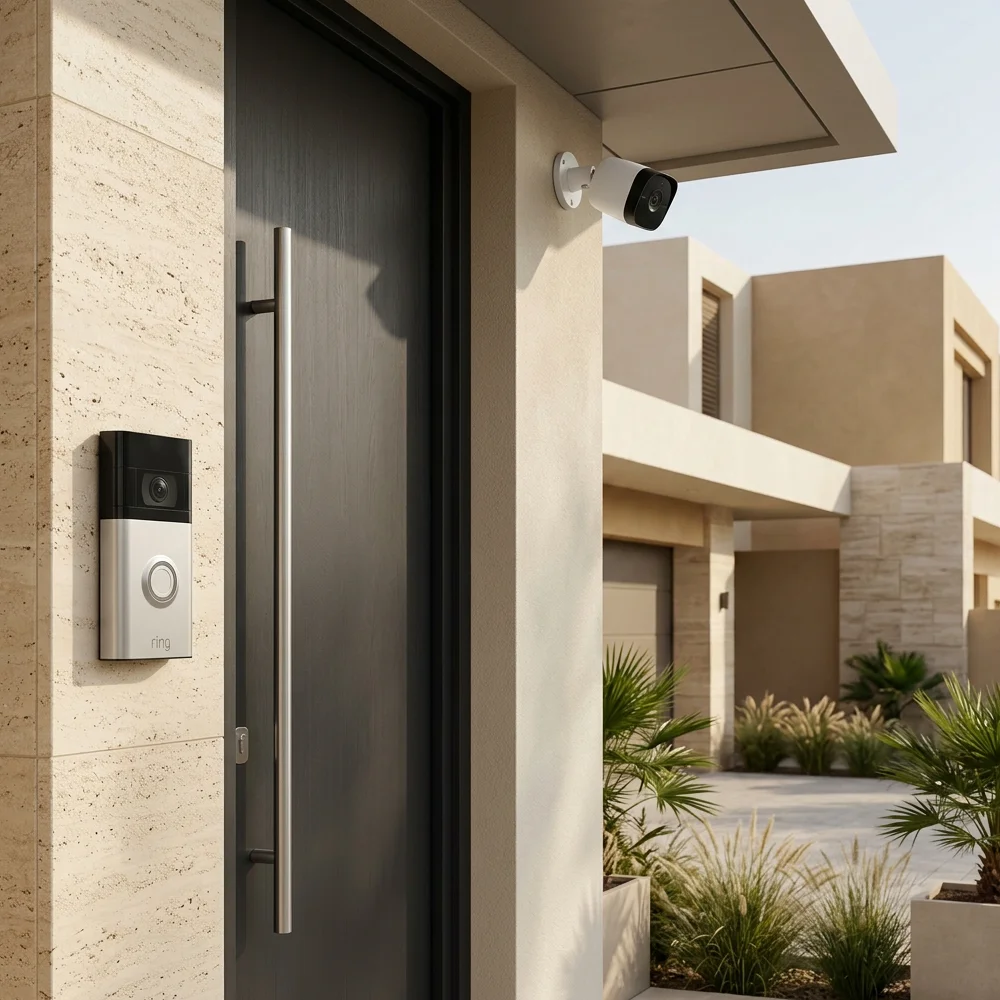
Do you need a video doorbell, outdoor cameras or both?
Start with what you want to see. If the main problem is answering deliveries and visitors, a video doorbell may be enough. If you also want to monitor a driveway, side entrance or garden access point, add cameras positioned for those areas.
Our recommendation: Place the doorbell where visitors actually stop, then use outdoor cameras for important areas outside that view. Choose the recording system separately: an electrical connection alone does not guarantee continuous footage.
Buying new? Ring lists Video Doorbell 4 as discontinued. If you already own one, assess whether its coverage and condition meet your needs. If buying remaining stock, confirm availability, warranty terms and current alternatives before ordering.
Where the Ring Video Doorbell 4 works best
A doorbell camera is useful at the point where someone asks to enter. That might be your front door, but in a villa with a locked boundary gate, the gate could be the more useful location.
The Ring Video Doorbell 4 provides 1080p video, two-way talk, a removable rechargeable battery and dual-band Wi-Fi. Its Color Pre-Roll feature adds the four seconds before a motion trigger, providing extra context around an event.
Answer the person at your entrance
Speak to a visitor through the app without walking to the door. Successful communication depends on the device connection, your phone connection and notification settings.
See the approach, within its limits
Review the actual view before fixing the bracket. A wide image does not guarantee a clear face at a distance or a complete view of parcels placed below the camera.
For model details and availability, see the Ring Video Doorbell 4 product page. This guide focuses on how a doorbell fits into the wider property setup.
Its main limitation: Doorbell 4 is not a continuous-recording CCTV system. It should not be your only camera if you need footage of activity elsewhere around the villa.
What outdoor security cameras add
Separate cameras let you choose a view for each important area. One may show a vehicle approaching the driveway; another may cover a side passage that cannot be seen from the doorbell.
Camera placement involves a trade-off. A broad overview helps you understand movement, while a closer view may show more useful detail. Mounting a camera as high as possible can leave you with a clear view of the tops of people’s heads rather than their faces.
Choose the view before the feature list
Identify the activity you need to see, the likely distance and the lighting. Then choose the lens, resolution and mounting position to suit that task.
Separate power from recording
Battery, plug-in, fixed wiring and PoE describe power arrangements. Event recording, continuous recording, cloud storage and local storage are separate specifications.
Lights, sirens and two-way audio are useful on appropriately equipped models, but they are not universal camera features. Check the exact version rather than relying on the product family name.
For fitting and setup support, explore JustCare’s smart security camera installation service.
Ring Video Doorbell 4 vs. outdoor security cameras
| Decision | Ring Video Doorbell 4 | Outdoor security camera |
|---|---|---|
| Main purpose | Visitor interaction and entrance activity. | Monitoring a selected area such as a driveway or side entrance. |
| Placement | Where visitors can reach the button and be seen clearly. | Where the angle and distance provide the required detail. |
| Power | Rechargeable battery; compatible wiring can maintain its charge. | Battery, plug-in, fixed wiring or PoE, depending on model. |
| Recording | Event-based video history requires a compatible Ring subscription. | Event or continuous recording depends on the device, storage and plan. |
| Connection | Wi-Fi and internet connection required for normal app functions. | Wi-Fi or a wired network, depending on the system. |
| Lighting and siren | Not a replacement for a floodlight or siren camera. | Available on selected models. |
| Main limitation | Limited to its entrance view; no continuous recording. | May not offer a convenient doorbell button for visitors. |
Build coverage around how people enter your property
A useful setup starts with a simple property sketch. Mark where visitors stop, where vehicles enter and which access points are hidden from the house. You can then decide where each device earns its place.
If you mainly need to answer deliveries
Start with a doorbell at the visitor stopping point. If drivers remain outside the boundary gate, placing the only doorbell at the house may miss the interaction you wanted to manage.
If you need driveway and side-access coverage
Add outdoor cameras for those areas. Check that parked vehicles, open gates, plants and roof columns do not block important views. Test the scene at night, including vehicle headlights and nearby lighting.
If complete video history is essential
Specify continuous recording before choosing cameras. Confirm storage capacity, retention, playback and what remains available during an internet outage. A compatible local recorder may suit this requirement better than relying only on cloud event clips.
Spend on useful views first. Two carefully positioned cameras may be more useful than several overlapping cameras that all miss the same side entrance. Final camera numbers depend on the layout and the level of detail required.
Check heat exposure, gate Wi-Fi and power before mounting
Heat: an outdoor device still has operating limits
Ring’s model-specific safety documentation lists the Video Doorbell 4 temperature range as −20.5°C to 48.5°C. Check the documentation supplied with your unit and assess the intended location against that limit.
Prefer a shaded position where practical. Direct sun can increase device temperature, and fixed power does not make electronics immune to heat. A cover must not obstruct the view, sensors, ventilation or access for maintenance.
Wi-Fi: test at the actual bracket position
A connection that works inside the villa may be unreliable at the gate. Boundary walls, metalwork and the route back to the router can all affect performance.
- Test Live View and two-way conversation at the proposed location before permanent fixing.
- Check performance with the gate closed and the home network in normal use.
- If coverage is poor, assess access-point placement and its connection back to the network. An extender placed where the signal is already weak may not solve the problem.
- Use equipment suitable for the environment wherever network hardware will be installed outdoors.
Power: compatible wiring supports charging
Doorbell 4 remains a battery-based device when connected to compatible charging wiring. Its power supply must match Ring’s requirements; do not connect it directly to household mains electricity.
For outdoor cameras, plan accessible power, suitable cable routes and protected connections. A solar accessory does not remove the need to check battery condition, shading and recording demands.
Dust and weather: assess the complete installation
Choose an outdoor-rated camera for exposed locations. Review its specified temperature and ingress protection ratings alongside the mounting method, cable entries and connectors. Weather protection is only as good as the installed assembly.
For doorbell mounting and configuration, see JustCare’s Ring installation service.
Decide how you want to review footage
The important question is often what happens after you miss an alert. Do you need a saved clip, a full timeline or only a live view? Make that decision before buying.
Ring without a subscription
Live viewing is available, but Ring does not save video history without a subscription. Do not assume that receiving an alert means a recording will be available later.
Saved and continuous footage
Confirm the current UAE plan, supported device and retention options. Continuous recording is a separate capability and is not available on Video Doorbell 4.
Compare the total cost, not just the device price
- Equipment: Doorbell, cameras, mounts and any required accessories.
- Infrastructure: Power supplies, cabling and network improvements.
- Recording: Cloud subscriptions or a compatible local recorder and storage.
- Installation: Mounting, configuration and testing at each location.
- Maintenance: Battery charging, lens cleaning and periodic checks.
Include account and privacy settings in the handover
Keep the owner account under your control, enable account verification and use supported shared-user access instead of sharing your password. Aim cameras at the areas you need to monitor and use available privacy controls to limit unnecessary views.
Test the result from your phone
- Visitor view: Stand where a visitor would wait and confirm that you can see and hear them.
- Coverage: Walk the driveway and relevant access paths to check blind spots.
- Notifications: Confirm that alerts reach the intended phone and that unnecessary motion alerts are reduced.
- Night performance: Check faces, shadows, reflections and glare after dark.
- Playback: Trigger an event and confirm that the expected recording can be found and played.
- Owner access: Confirm account ownership, shared users, charging arrangements and maintenance access.
A working live image is only part of the handover. The setup should also meet the coverage and recording requirements agreed before installation.
Dubai villa doorbell and camera FAQs
Can Ring Video Doorbell 4 replace outdoor security cameras?
It can cover entrance activity and visitor conversations, but it cannot show areas outside its view. Add outdoor cameras when you need coverage of the driveway, side access or other important areas.
Can I install the doorbell at my outer villa gate?
Possibly, if the location provides suitable Wi-Fi, a clear visitor view, secure mounting and acceptable environmental conditions. Test the connection and assess sun exposure before choosing the final position.
Does Ring Video Doorbell 4 record continuously?
No. It does not provide continuous 24/7 recording. Saved event history requires a compatible Ring subscription. If a full timeline is essential, choose a camera and recording system that explicitly supports it.
Does hardwiring Doorbell 4 remove its battery?
No. Compatible wiring supports battery charging; it does not turn Doorbell 4 into a battery-free device. The device still has operating temperature limits and must use an approved compatible power arrangement.
How long will the battery last in Dubai?
There is no dependable Dubai-wide estimate. Charging frequency depends on activity, settings, Live View use, connection quality, temperature and battery condition. Assess the actual installation rather than relying on a fixed number of months.
Do all wired security cameras record 24/7?
No. A wired power connection does not establish recording capability. Confirm the exact camera, storage system, subscription requirements and regional feature availability before purchase.
Can I use Ring without paying for a subscription?
You can use Live View without a subscription, but Ring does not save video history without one. Check the current UAE plan details for the recording features you need.
Is Ring Video Doorbell 4 still a current model?
Ring lists Video Doorbell 4 as discontinued. Retail stock may still be available. Confirm stock condition, warranty terms and available alternatives before purchasing.
Need help choosing the right setup for your villa?
Send JustCare photos of your visitor entrance, proposed camera positions and available power points. Include your area, any devices you already own and whether you need event clips or continuous recording.
These details help us discuss the likely equipment and installation requirements. Final recommendations may need an on-site check of coverage, connectivity and cable routes.
Avoid including customer faces, unit numbers or personal documents in shared photos. Installation scope, availability and the final quotation are confirmed before booking.